
Turn in-person PD into on-demand staff training that K–12 teams actually use
K-12 eLearning Development

It's Wednesday morning. You have a training scheduled after school. Someone gets pulled for coverage. A few people miss it entirely. Two weeks later, you're reteaching the same thing in three different conversations.
The problem is not your staff. It's training that was never built to work without you in the room.
I help K–12 districts build on-demand learning that staff can access when they need it, complete on their schedule, and actually apply to their work.
You're not failing at training. Training is failing your team.
If any of these sound familiar, you're not alone.
Repeat trainings that eat up leadership time
Uneven messaging across buildings
Onboarding gaps for mid-year hires
Low follow-through after a single PD day
Scattered resources across emails, slides, and shared drives
What changes when training is built to work without you in the room
On-demand learning is not another thing on your staff's plate. It's training they can reach when they need it and revisit when it matters.
Here's what that looks like in practice:
On-demand modules for the consistent core (policies, procedures, required training, “how we do it here”)
Short live sessions for discussion, scenarios, coaching, and planning
This helps staff arrive with shared baseline knowledge, so meeting time is spent on higher-value work.
If your district is managing any of this, this is built for you.
Onboarding pathways (district systems, routines, compliance essentials)
Annual required training (consistent messaging + documentation support)
Tool and workflow training (SIS, IEP systems, HR processes, Google-based workflows)
District procedures (“what to do when…”) that reduce repeat questions
Role-based learning paths (paras, clerical teams, specialists, coaches, teachers)
Training your staff will actually finish. And actually use.
Your training is designed to be understandable, doable, and easy to maintain. Right-sized lessons. Practice tied to real work. Job aids you can actually use. Content built for your platform. Accessibility designed in from the start.

Built into every project from day one
Accessibility built in from the start
Captions/transcripts, clear structure, readable layouts, keyboard-friendly interactions
Practice that mirrors real work
Scenarios, decision points, quick checks, “what would you do next?”
Job aids that reduce re-teaching
One-page checklists, templates, and quick references that staff can use mid-task
Built for your platform
LMS, Google-based workflows, Articulate, video-based modules, or what you already use
Right-sized modules
Microlearning when it makes sense. No unnecessary length
Not every training problem needs a full course.
The format should fit the problem, not the other way around. Here are the options I build with K-12 districts, and what each one is designed to solve.
Pilot Module
Best for: Testing a topic, format, or audience before scaling district-wide.
What you get: One short, accessible module with clear outcomes, practice checks, and a plan for what to build next.
Microlearning Series
Best for: Busy staff who need quick, focused support (5–10 minutes at a time).
What you get: A set of mini-modules that target one task or decision each, designed for easy refreshers and just-in-time learning.
Full Course Build
Best for: District-wide training, onboarding, or annual requirements where consistency matters.
What you get: A complete course with pacing, knowledge checks, and practical application, built to be reused and updated over time.
Procedures and SOP Learning Tools
Best for: Standardizing how work gets done across buildings, teams, or roles.
What you get: Step-by-step procedures turned into clear, searchable learning supports (guided walkthroughs, decision steps, and “what to do when” prompts).
Job Aids and Checklists
Best for: Reducing errors and repeat questions during real work.
What you get: Accessible, printable and digital tools like checklists, one-page guides, templates, and quick-reference visuals that staff can use in the moment.
Video Walkthroughs with Captions and Transcripts
Best for: Demonstrating tools, processes, or routines staff need to copy.
What you get: Short instructional videos with captions, transcripts, and supporting job aids, designed for quick replay when staff get stuck.
Resource Hub or Toolkit
Best for: When information is scattered across emails, slide decks, and shared drives.
What you get: A centralized, easy-to-navigate collection of resources (short lessons, FAQs, job aids, and links) organized so staff can find answers quickly.
Not sure what you need yet? We can start with a short discovery and recommend the format that fits your goals, timeline, and staff capacity.
A process designed around your calendar, not the other way around.
A clear process helps this feel doable, even when everyone is busy.
Scope the real need (what staff need to do differently, and where confusion shows up)
Map outcomes + module plan (what’s on-demand vs what stays live)
Build a draft (simple, accessible, platform-fit)
Review in short cycles (structured prompts, low-lift feedback)
QA + accessibility check (before handoff)
Launch + handoff (source files, update guide, and quick walkthrough)
Accessibility commitments
(practical, not extra)
K–12 teams are increasingly accountable for accessible digital content. The simplest way to stay ahead is to build accessibility in from the beginning.
In practice, that means:
captions and/or transcripts for audio/video
clear headings and navigation
readable documents (not image-only PDFs)
strong contrast and consistent formatting
screen reader-aware structure and reading order
plain language and clear “next steps”
I’m CPACC-certified and build accessibility into the workflow, so you are not trying to “fix it later.”
What K-12 leaders say
KShep Creative provides high-quality and efficient instructional design support to help organizations meet their goals. The communication about project objectives, design, and timelines is excellent. The emphasis on setting clear objectives and measuring success is very supportive.
— Tammy Hazley, Eastern Upper Peninsula Intermediate School DistrictWhat staff say after completing the training
“I wish I had this as a new teacher! Even with all the ones I have written [behavior plan], this keeps me focused on this student and this document.”
K-12 Staff Member
“I use this all the time!”
K-12 Staff Member
“Very well done. Information presented is clear and not overwhelming.”
K-12 Staff Member
“This is great! I’ll use it every day!”
K-12 Staff Member
“I like that the information presented is simple and easy to understand. The examples are good.”
K-12 Staff Member
“Very clear and concise; examples were very helpful.”
K-12 Staff Member
“Each component is broken down to understand. The examples are helpful.”
K-12 Staff Member
“I love how this information is presented.”
K-12 Staff Member
See this work in action
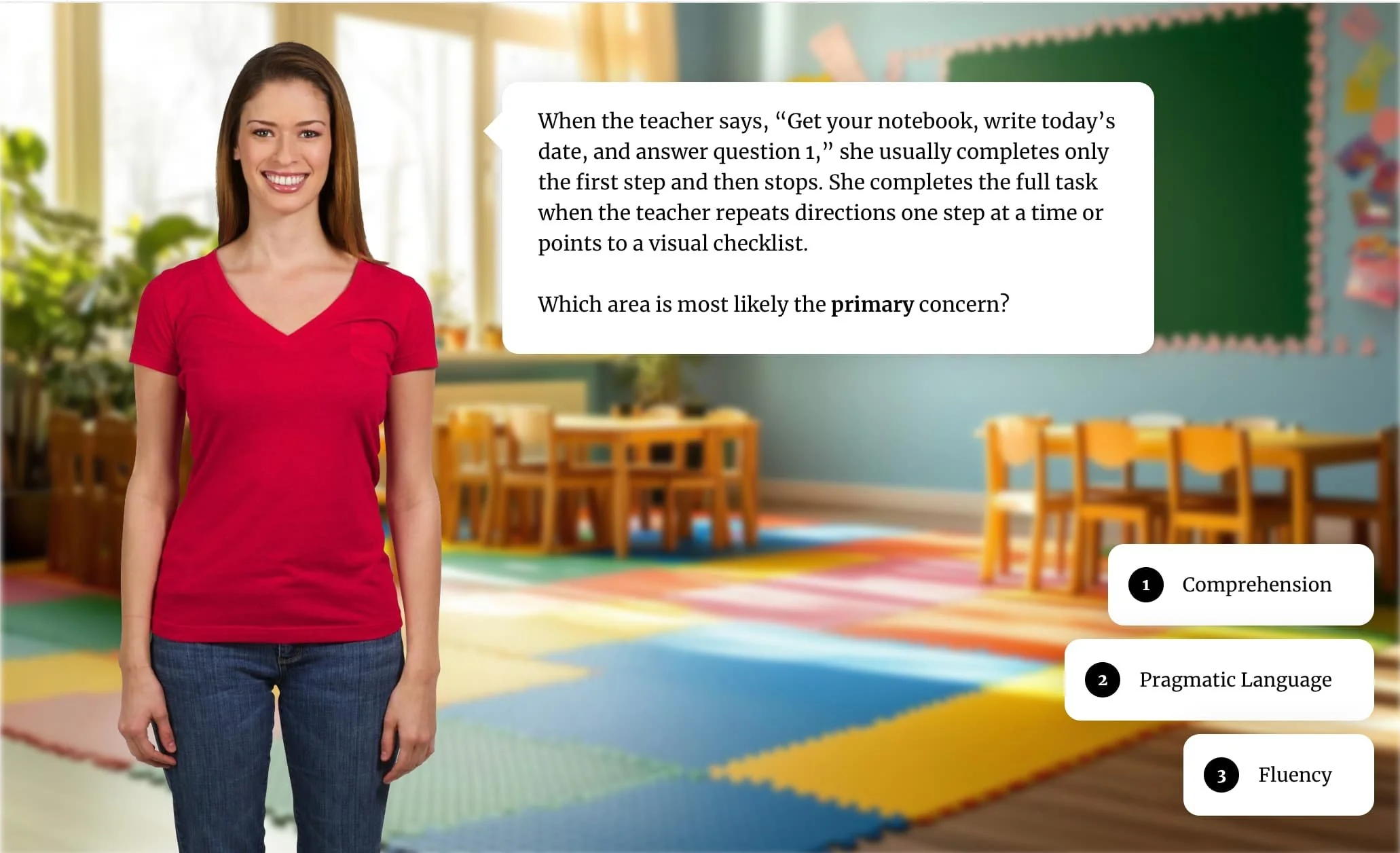
The EUPISD project is a real example of what K-12 eLearning looks like when district expertise is the foundation. KShep Creative worked with EUPISD's speech-language pathologists to build a three-part system that extends SLP knowledge to every classroom in the region. On demand, any time an educator needs it.
Is it worth the investment?
Enter a few details about your training and I'll show you how quickly it pays for itself.
The financial case is just the beginning.
Higher quality + consistency across buildings (one source of truth)
Accessibility baked in (captions, readable structure, keyboard access, clear navigation)
Better job transfer because staff can revisit it exactly when needed
Fewer repeat questions and less “reteaching” by admins and coaches
Smoother onboarding for mid-year hires
Also on the blog: How to Convert In-Person PD to On-Demand Learning → and Scalable Teacher-Led PD for K–12 Districts →
Straightforward pricing, scoped to fit your project.
Hourly
$100/hour
Best for: module updates, accessibility fixes, voiceover and slide revisions, and smaller eLearning work with flexible scope.
Project-Based
Scoped to the work
For full course and module builds, I can offer a project price when we agree on scope up front (learning objectives, number of modules, review rounds, and what is included). If the scope changes, I flag it early, and we can adjust the fixed price or move added work to hourly.
Typical ways districts scope work (so you can budget)
Pilot module + one job aid (prove the format, then scale)
Microlearning series (a small set of short modules for just-in-time support)
Full course build (onboarding or annual training with checks and documentation support)
Resource hub (organized training + FAQs + templates that reduce repeat questions)
If you want, I can help you turn one repeated training topic into a clear scope and a budget range after a short discovery call.
Your K-12 eLearning Questions, Answered
-
eLearning is any guidance delivered digitally so staff can access it anytime. It can be a full course, but it can also be a short module, checklist, job aid, quick video, or step-by-step procedure.
-
I build for whatever your district already uses. Common options include Google-based workflows, Articulate 360, video-based modules, and LMS platforms. If you are not sure what format makes sense, we will figure that out together during the project scope conversation.
-
It depends on complexity and your team's review turnaround, but a short microlearning module typically takes two to four weeks from kick-off to final delivery. Longer courses or multi-module projects take more time. I will give you a clear timeline estimate before we start.
-
Yes. I design eLearning so districts can maintain it without needing a specialist. You receive editable files, a short "how to update" guide, and a walkthrough for whoever owns the content.
-
School schedules are fragmented, staff are already stretched thin, and professional development competes with everything else on a teacher's plate. I design for those constraints with short modules, low cognitive load, real-world scenarios, and content that works on the devices and platforms your staff actually use.
-
Every KShep Creative eLearning project includes a 90-day accessibility commitment. If something falling within WCAG 2.2 Level AA shows up in work I delivered, I fix it at no additional charge within that window.
A few things this covers and a few it does not:
Covered: accessibility issues in the course content, interactives, and supporting materials I delivered, where the issue falls within WCAG 2.2 Level AA.
Not covered: changes made by your staff after delivery, limitations of the hosting platform or LMS I do not control, conformance to WCAG versions beyond 2.2, or AAA-level conformance unless we specifically contracted for it.
If you are not sure whether something is covered, send it to me. I would rather take a look than have you assume it is outside scope.
Based in St. Paul, Minnesota, serving districts remotely across the United States.
Ready to make one training topic easier this year?
Most districts start with one training topic they repeat every year. That's usually the right place to begin.